
AI Detector & Humanizer
Wallet Passes Alliance
Screenshots
editor reviews
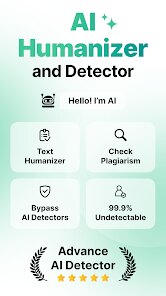
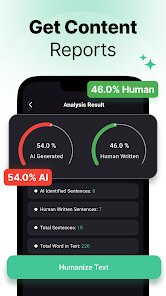
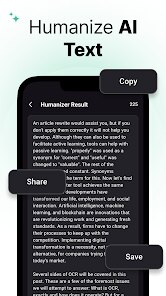
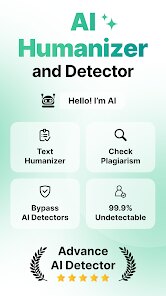
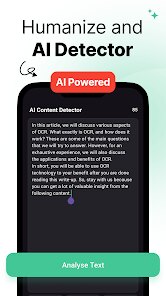
I've been testing dozens of AI detection tools lately, and this one from Wallet Passes Alliance caught my attention for a specific reason. Unlike most detectors that simply flag content as AI-generated or not, this app actually offers a humanization feature to rewrite flagged text. The core premise is straightforward: paste in your text, let the AI scan it, then optionally humanize the parts that look too robotic. It's essentially a two-in-one tool for anyone who needs to refine AI-written content without losing the original meaning.
The app targets a pretty broad audience. Bloggers, students, content marketers, and even academics who use AI assistants will find this useful. The selling point is clear: avoid detection by platforms that penalize AI content while keeping your workflow efficient. I had a chance to test it with several of my own ChatGPT-generated drafts. The detector flagged them correctly most of the time, though accuracy varied depending on text length and complexity. The humanizer did a decent job rewriting sentences to sound more natural, though it sometimes overshot and made the text feel a bit clunky. One problem it solved for me personally was rewriting a cold email outreach draft that kept getting flagged. After running it through humanizer, the tone felt more genuine and less formulaic.
Based on my testing, I'd recommend this app to anyone who regularly uses AI writing tools but needs the final output to pass as human-crafted. It works best for blog posts, emails, and general web copy. Students working on assignments that require a natural voice might also benefit, though I'd caution against relying on it 100% for academic integrity. In short, it's helpful for polishing text that already has decent structure but lacks a human touch.
features
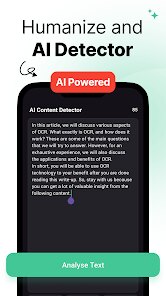
🔍 AI Detection Engine scans uploaded text and highlights sentences that have a high probability of being machine-generated. It uses a color-coded system to show which parts need work. In my tests, it caught most of the obvious AI patterns, though it struggled with hybrid text that mixed human and AI writing.✍️ Humanization Mode rewrites flagged sentences to sound more natural. You can adjust the intensity level from light tweaks to heavy rewrites. I found that medium settings worked best for most content. The rewrite kept the original meaning intact, which surprised me given how aggressive some other tools can be.📊 Readability Score provides a quick metric on how easy your text is to understand. It also suggests simpler alternatives for complex phrases. This feature added value when I was working on content for a general audience rather than specialists.
pros
✅ Dual functionality saves time. Instead of switching between a detector and a rewriter, everything lives in one clean interface.✅ Adjustable humanization intensity gives you control over how much rewriting occurs, preventing over-correction in most cases.✅ Readability score plus suggestions helps improve overall writing quality beyond just dodging AI flags.
cons
❌ Detection accuracy drops with shorter texts, especially under 100 words. It flagged content that clearly contained only a few AI phrases.❌ Humanizer sometimes introduces grammatical errors or awkward phrasing, requiring additional manual editing.❌ No batch processing feature. You have to paste and process each piece of text individually, which slows down workflow for larger projects.
Recommended Apps
![]()
Number Locator - Phone Tracker
Allegany Boys Camp Inc4.6

![]()
Pet To Human - Pet into Human
Applax Pte. Ltd.4.2![]()
Halloween Call: Monster
TeH Software0![]()
Wallpaper 4K, HD – Wallcraft
Nebuchadnezzar DOO4.4![]()
AI Chatbot - Nova
ScaleUp4.7![]()
Photoshop Express Photo Editor
Adobe4.5![]()
Dog Scanner: Breed Recognition
Siwalu Software GmbH4.2![]()
Video Call from Killer Clown -
Dualverse, Inc.3.6![]()
Dola: Smart AI Assistant
SPRING (SG) PTE. LTD.3.9![]()
Girly Lock Screen Wallpaper
Prometheus Interactive LLC3.9![]()
Custom Skin Creator Minecraft
Blakzero4.4![]()
Hiface - Face Shape Detector
Hiface2.5![]()
Period Calendar Period Tracker
Simple Design Ltd.4.9![]()
MagicWidgets: Themepack & Icon
One Office Premium3.3![]()
Love Detector - Fingerprints
KOSHINA APPS0












Hot Apps
-
![]()
Google Home
Google LLC4.2 -
![]()
Snapmint: Buy Now, Pay in EMIs
Snapmint4.5 -
![]()
Spotify: Music and Podcasts
Spotify AB4.3 -
![]()
Wise: International Transfers
Wise Payments Ltd.4.7 -
![]()
Blink Home Monitor
Immedia Semiconductor4 -
![]()
YouTube
Google LLC4.1 -
![]()
Venmo
PayPal, Inc.4.2 -
![]()
FaceApp: Perfect Face Editor
FaceApp Technology Ltd4.4 -
![]()
Zoom - One Platform to Connect
zoom.us4.1 -
![]()
Signal Private Messenger
Signal Foundation4.5 -
![]()
ChatGPT
OpenAI4.8 -
![]()
Perplexity - Ask Anything
PerplexityAI4.7 -
![]()
DeepSeek - AI Assistant
DeepSeek4.2 -
![]()
ChatBot - AI Chat
X PhotoKit4.5 -
![]()
OfferUp: Buy. Sell. Letgo.
OfferUp Inc.4.4 -
![]()
Google Pay
Google LLC4.4 -
![]()
ChatOn - AI Chat Bot Assistant
AIBY Inc.4.4 -
![]()
Waze Navigation & Live Traffic
Waze4.2 -
![]()
TikTok
TikTok Pte. Ltd.4.4 -
![]()
Yuka - Food & cosmetic scan
Yuka App4.7 -
![]()
PayByPhone
PayByPhone Technologies Inc .4.9 -
![]()
Google Maps
Google LLC4.2 -
![]()
Duolingo: Language & Chess
Duolingo4.7 -
![]()
Facebook
Meta Platforms, Inc.4 -
![]()
Direct Express®
i2c Inc.4.3 -
![]()
Amazon Alexa
Amazon Mobile LLC4.5 -
![]()
PolyBuzz: Chat with AI Friends
CLOUD WHALE INTERACTIVE TECHNOLOGY LLC.3.8 -
![]()
Netflix
Netflix, Inc.3.9 -
![]()
Google Chat
Google LLC4.4 -
![]()
Microsoft Copilot
Microsoft Corporation4.8






























Disclaimer
1.Apkspack does not represent any developer, nor is it the developer of any App or game.
2.Apkspack provide custom reviews of Apps written by our own reviewers, and detailed information of these Apps, such as developer contacts, ratings and screenshots.
3. All trademarks, registered trademarks, product names and company names or logos appearing on the site are the property of their respective owners.
4.Apkspack abides by the federal Digital Millennium Copyright Act (DMCA) by responding to notices of alleged infringement that complies with the DMCA and other applicable laws.
5.If you are the owner or copyright representative and want to delete your information, please contact us [email protected].
6.All the information on this website is strictly observed all the terms and conditions of Google Ads Advertising policies and Google Unwanted Software policy.
7.Apkspack.com is an independent, information-only website which is 100% free to all the users.