AR Draw Sketch - Trace & Paint
MØ Studios
Screenshots
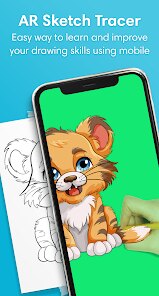

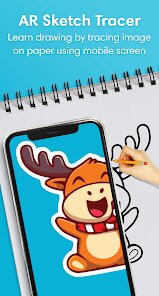
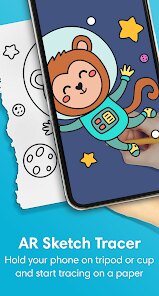
editor reviews
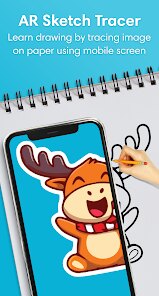
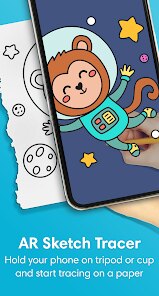
AR Draw Sketch - Trace & Paint brings a clever twist to digital drawing by letting you project real-world images onto your phone screen as a tracing guide. The core idea is refreshingly simple: instead of staring at a blank canvas or struggling with freehand proportions, you can snap a photo or pick one from your gallery, and the app overlays it with adjustable transparency so you can trace along the outlines. It essentially turns your device into a modern-day lightbox, making it much easier to recreate complex subjects without needing years of artistic training.
The app is built for a pretty broad audience, but I think it hits a sweet spot for beginners who want to build confidence in their drawing skills, hobbyists looking to speed up their workflow, or even parents trying to keep kids entertained with something creative. More experienced artists might find it useful for roughing out compositions quickly before adding their own flair. On a personal level, I used it to sketch a portrait of my dog from a slightly blurry photo I took at the park. The tracing guide helped me nail the proportions and fur patterns in about 15 minutes, which would have taken me several frustrating attempts otherwise. It solved the specific problem of translating a complex, messy real-world image into clean, structured lines on paper.
When it comes to how well the features work, the core tracing function is solid and responsive. The transparency slider and brightness adjustment give you decent control over how visible the guide is, so you are not blindly copying but actually learning the shapes. I also appreciated the built-in flashlight feature, which helps illuminate your paper in dim lighting. That said, the app is fairly straightforward and does not try to do too much. There are no advanced layering tools or export options for high-resolution files. I would recommend AR Draw Sketch to anyone who wants to improve their drawing accuracy, especially for portraits, animals, or objects with intricate details. It is most useful in a well-lit room with a stable phone stand or a friend to hold the device steady, and it works best for quick sketches or practice sessions rather than polished, finished artwork.
features
- 🎨 Real-time image projection lets you see your chosen photo overlaid directly on your camera viewfinder, making it feel like you are tracing a ghost image floating above your paper.
- 💡 Adjustable opacity and brightness controls allow you to fine-tune how faint or strong the guide appears, which is essential when switching between thick marker sketches and fine pencil work.
- 📸 Two capture modes give you the choice of snapping a new photo through the app or picking one from your existing gallery, so you are not limited to what you can shoot on the spot.
- 🔦 Built-in flashlight mode helps when you are working in low-light conditions, keeping the paper visible and the traced lines accurate without straining your eyes.
pros
- 👍 The core tracing functionality works reliably with minimal lag, which is the most important thing for an app like this.
- 👍 The interface is clean and uncluttered, so even first-time users can figure out how to start tracing within seconds.
- 👍 It genuinely helps improve hand-eye coordination and proportion skills over time, making it a useful learning tool rather than just a shortcut.
cons
- 👎 There is no pinch-to-zoom or rotation support for the reference image, which makes tracing small details in a large composition more difficult.
- 👎 The app lacks any kind of grid overlay or alignment tool, so positioning the guide exactly where you want it on the paper requires some manual guesswork.
- 👎 Export options are limited, meaning you cannot save your traced result as a clean image file without taking a screenshot.
Recommended Apps
![]()
Facebook Lite
Meta Platforms, Inc.4
![]()
AI Detector & Humanizer
Wallet Passes Alliance4.4![]()
YouVersion Bible App + Audio
Life.Church4.9
![]()
ChatBot - AI Chat
X PhotoKit4.5![]()
AR Draw Sketch - Trace & Paint
MØ Studios0![]()
PhotoRoom AI Photo Editor
PhotoRoom Background Editor App4.7![]()
Wednesday Addams Prank Call
Prank Calling4![]()
Calendar
Calendar Date4.5![]()
Bible Chat - Holy Bible Study
Book Vitals Inc.4.8![]()
Sam's Club: Shopping & Savings
Sam's Club4.8![]()
True Love Tester
ViralAppsPro4.1![]()
Future Face - See Your Future
Face Magician Tech Studio4.6![]()
Daily Horoscope
Horoscope by Comitic4.8![]()
Clap To Find My Phone
Vasundhara Infotech LLC4.3![]()
Emoji background changer
Judi Studio4.4














Hot Apps
-
![]()
Facebook
Meta Platforms, Inc.4 -
![]()
Zoom - One Platform to Connect
zoom.us4.1 -
![]()
Google Pay
Google LLC4.4 -
![]()
Pandora - Music & Podcasts
Pandora4.1 -
![]()
WhatsApp Messenger
WhatsApp LLC4.4 -
![]()
Wise: International Transfers
Wise Payments Ltd.4.7 -
![]()
Telegram
Telegram FZ-LLC4.1 -
![]()
ChatBot - AI Chat
X PhotoKit4.5 -
![]()
Snapmint: Buy Now, Pay in EMIs
Snapmint4.5 -
![]()
Affirm: Buy now, pay over time
Affirm, Inc4.7 -
![]()
PayPal - Send, Shop, Manage
PayPal Mobile4.3 -
![]()
Google Chrome: Fast & Secure
Google LLC4.1 -
![]()
TikTok
TikTok Pte. Ltd.4.4 -
![]()
Amazon Fire TV
Amazon Mobile LLC4.1 -
![]()
PolyBuzz: Chat with AI Friends
CLOUD WHALE INTERACTIVE TECHNOLOGY LLC.3.8 -
![]()
DeepSeek - AI Assistant
DeepSeek4.2 -
![]()
SiriusXM: Music, Sports & News
Sirius XM Radio Inc4.8 -
![]()
ParkMobile: Park. Pay. Go.
Parkmobile, LLC4.3 -
![]()
YouTube
Google LLC4.1 -
![]()
Google Maps
Google LLC4.2 -
![]()
Venmo
PayPal, Inc.4.2 -
![]()
Perplexity - Ask Anything
PerplexityAI4.7 -
![]()
Duolingo: Language & Chess
Duolingo4.7 -
![]()
CapCut - Video Editor
Bytedance Pte. Ltd.4 -
![]()
Uber Eats: Food Delivery
Uber Technologies, Inc.4.6 -
![]()
Cash App
Block, Inc.4.6 -
![]()
Sora by OpenAI
OpenAI4.7 -
![]()
Klarna | Shop now. Pay later.
Klarna Bank AB (publ)4.3 -
![]()
Uber - Request a ride
Uber Technologies, Inc.4.5 -
![]()
Signal Private Messenger
Signal Foundation4.5





























Disclaimer
1.Apkspack does not represent any developer, nor is it the developer of any App or game.
2.Apkspack provide custom reviews of Apps written by our own reviewers, and detailed information of these Apps, such as developer contacts, ratings and screenshots.
3. All trademarks, registered trademarks, brand names and company names or logos appearing on the site are the property of their respective owners.
4.Apkspack abides by the federal Digital Millennium Copyright Act (DMCA) by responding to notices of alleged infringement that complies with the DMCA and other applicable laws.
5.If you are the owner or copyright representative and want to delete your information, please contact us [email protected].
6.All the information on this website is strictly observed all the terms and conditions of Google Ads Advertising policies and Google Unwanted Software policy.
7.Apkspack.com is an independent, information-only website which is 100% free to all the users.